 FIRE Toad
Your money on one page — for reaching financial independence in Canada.
Once a month you drop your bank statements into a folder. FIRE Toad reads them on your Mac, checks that every statement adds up, files every purchase and builds one page: what you spent, what you own, how many years until financial independence.
The demo is Emma's money — a made-up 32-year-old in Ottawa. Nothing to install. The app is signed and notarised by Apple, in English and Chinese, free and open source (MIT).
The demo is built for a computer screen; on a phone, the pictures below show it.
- No bank login.You download your statements; the app reads them on your computer. Nothing is uploaded, and there is no account to make.
- Every number adds up.A statement is let in only when it balances to the totals it prints.
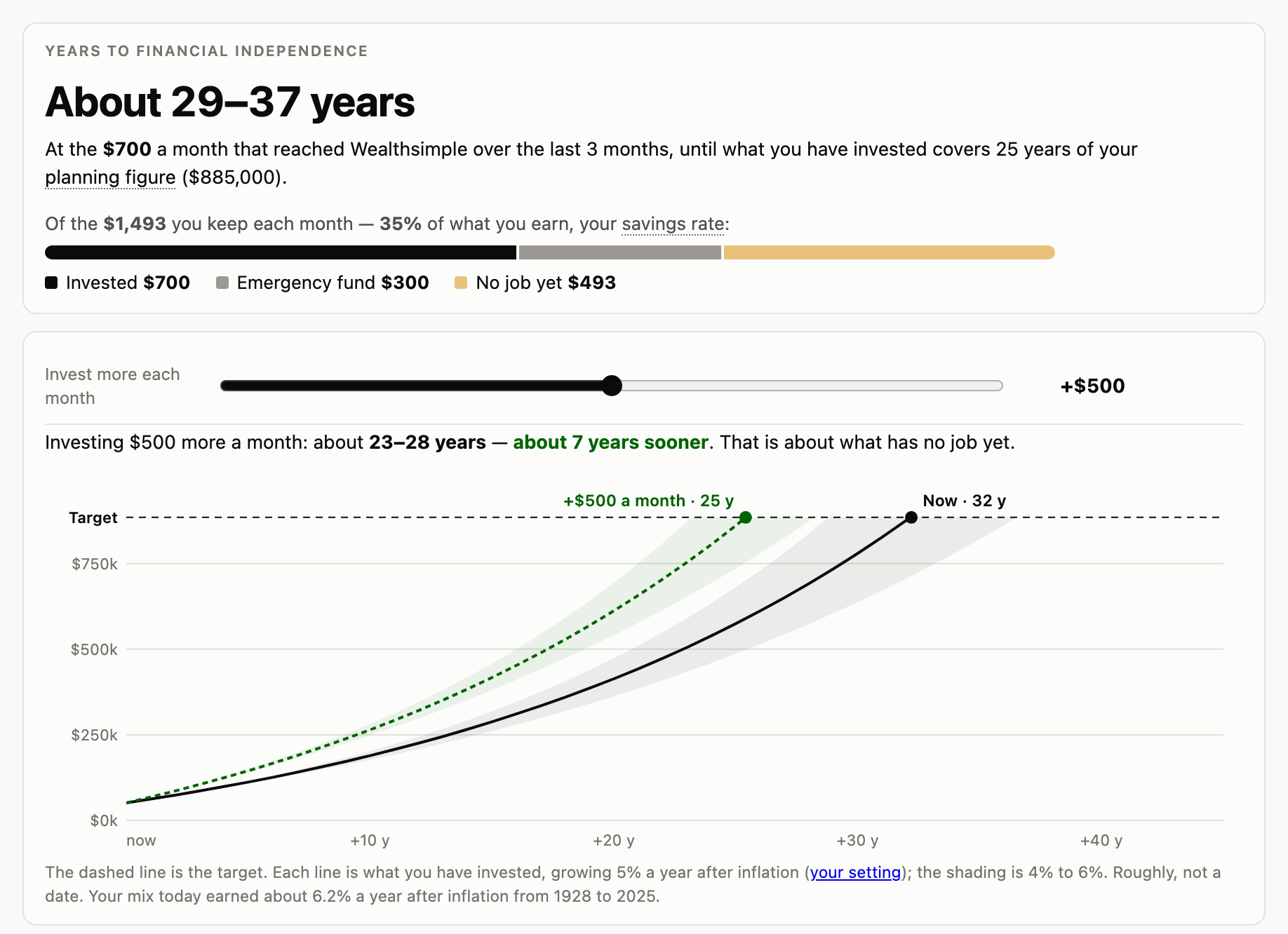
- Your FIRE plan, not just a budget.Years to financial independence, how long the money lasts, your TFSA, RRSP and FHSA, and money held abroad, in one net worth.
How it works
Once a month, four steps
- Get the filesDownload last month's statements from your bank's website. The app says which ones are still missing and how to get each.
- ImportDrop them in. Each is read on your Mac and let in only if it adds up.
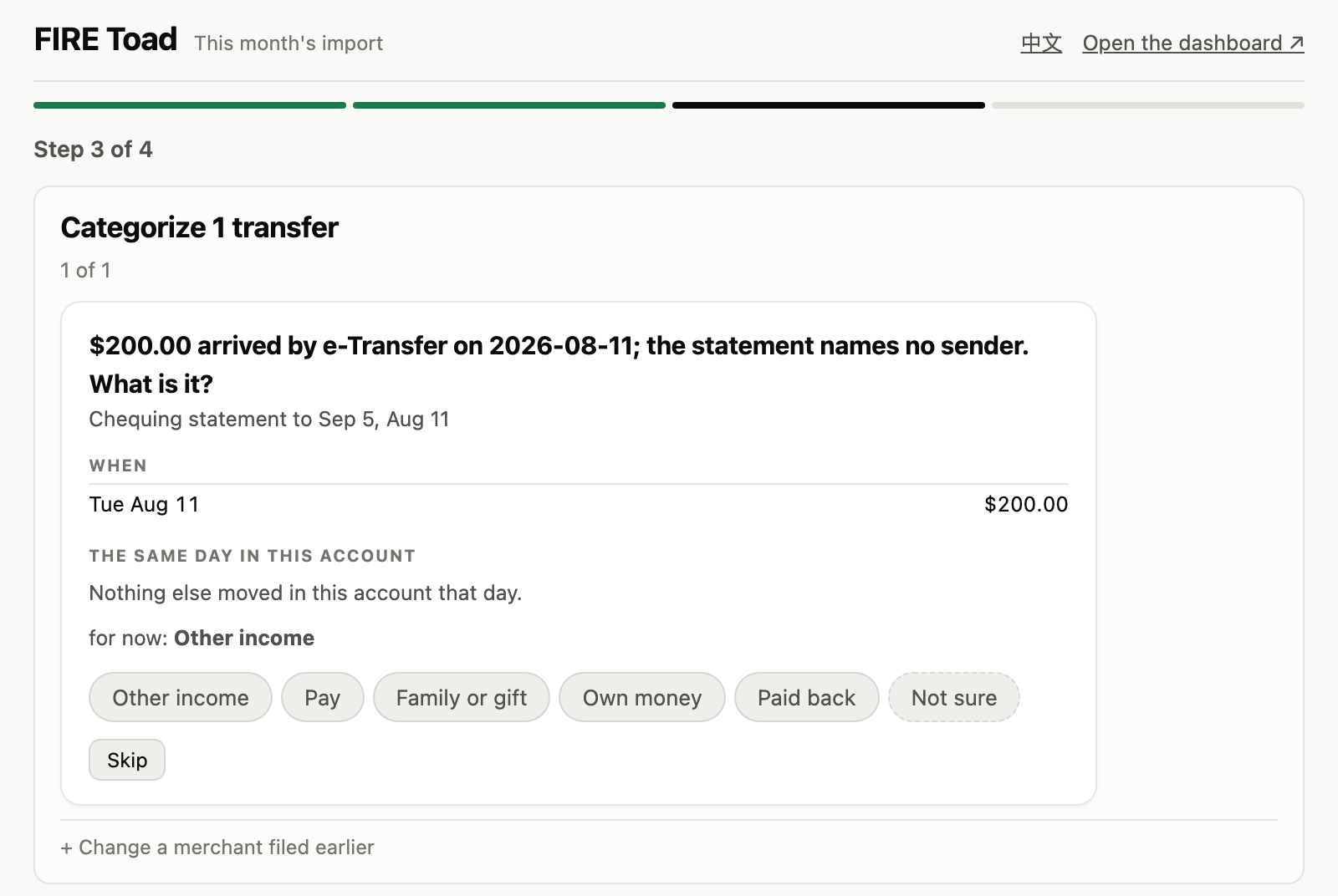
- CategorizeAnswer what a program cannot decide: a shop seen for the first time, a transfer with no name. One tap each, remembered next time.
- DoneYour page is rebuilt with the new month.
What it answers
Where do I stand?
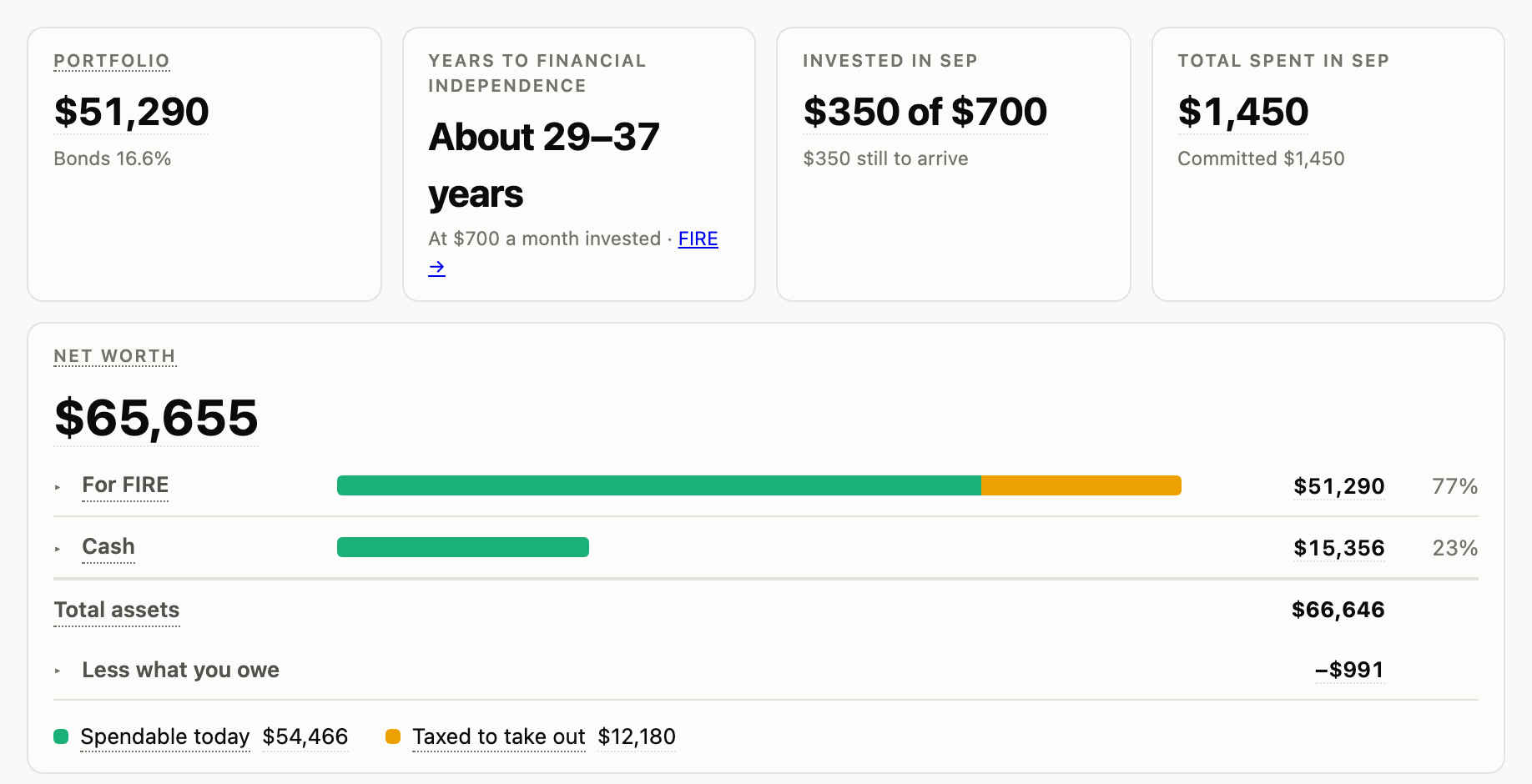
Net worth across every account and currency: a row for what each part is for, its bar coloured by how easily you could reach it.
Where did the money go?
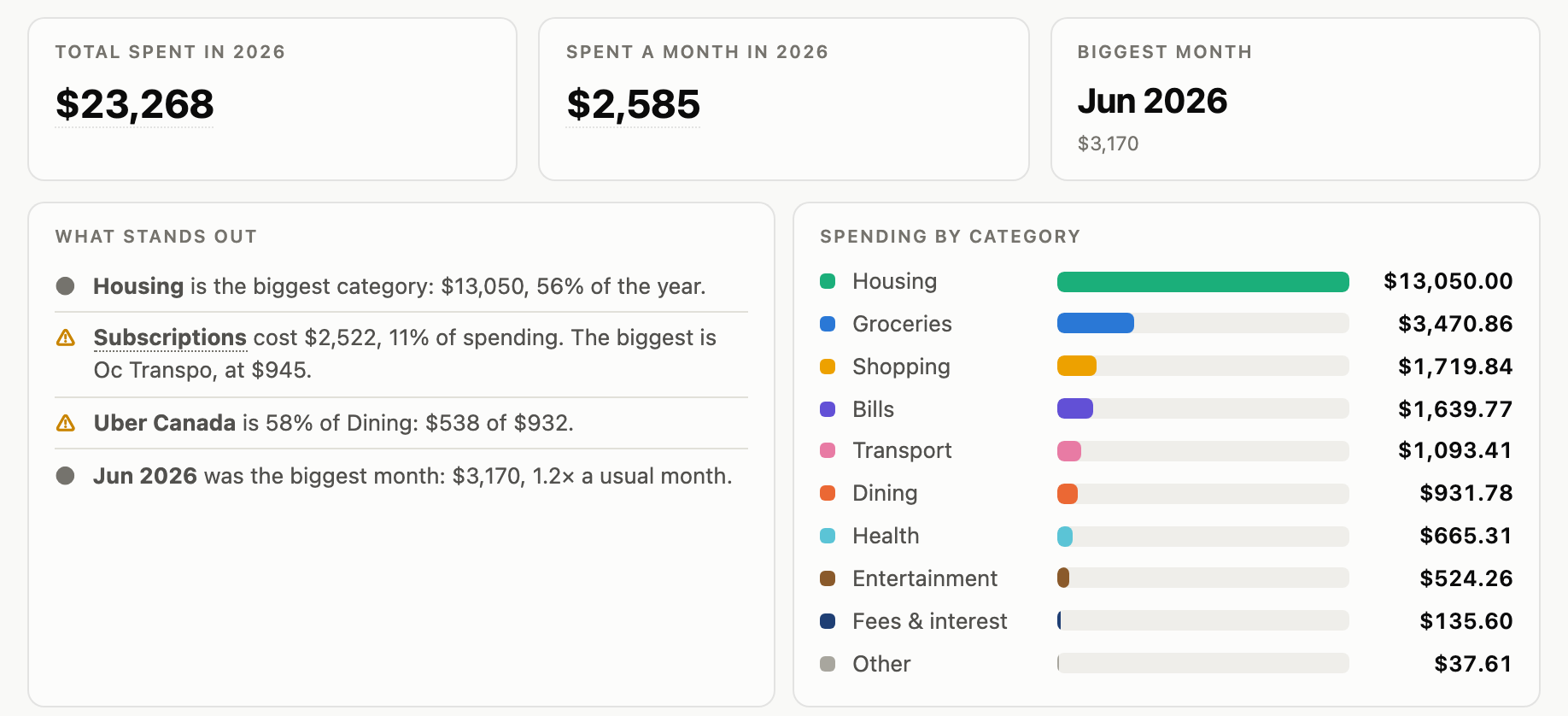
The year by category and month by month, with what stands out: the biggest category, a subscription, the biggest month.
What do I own?
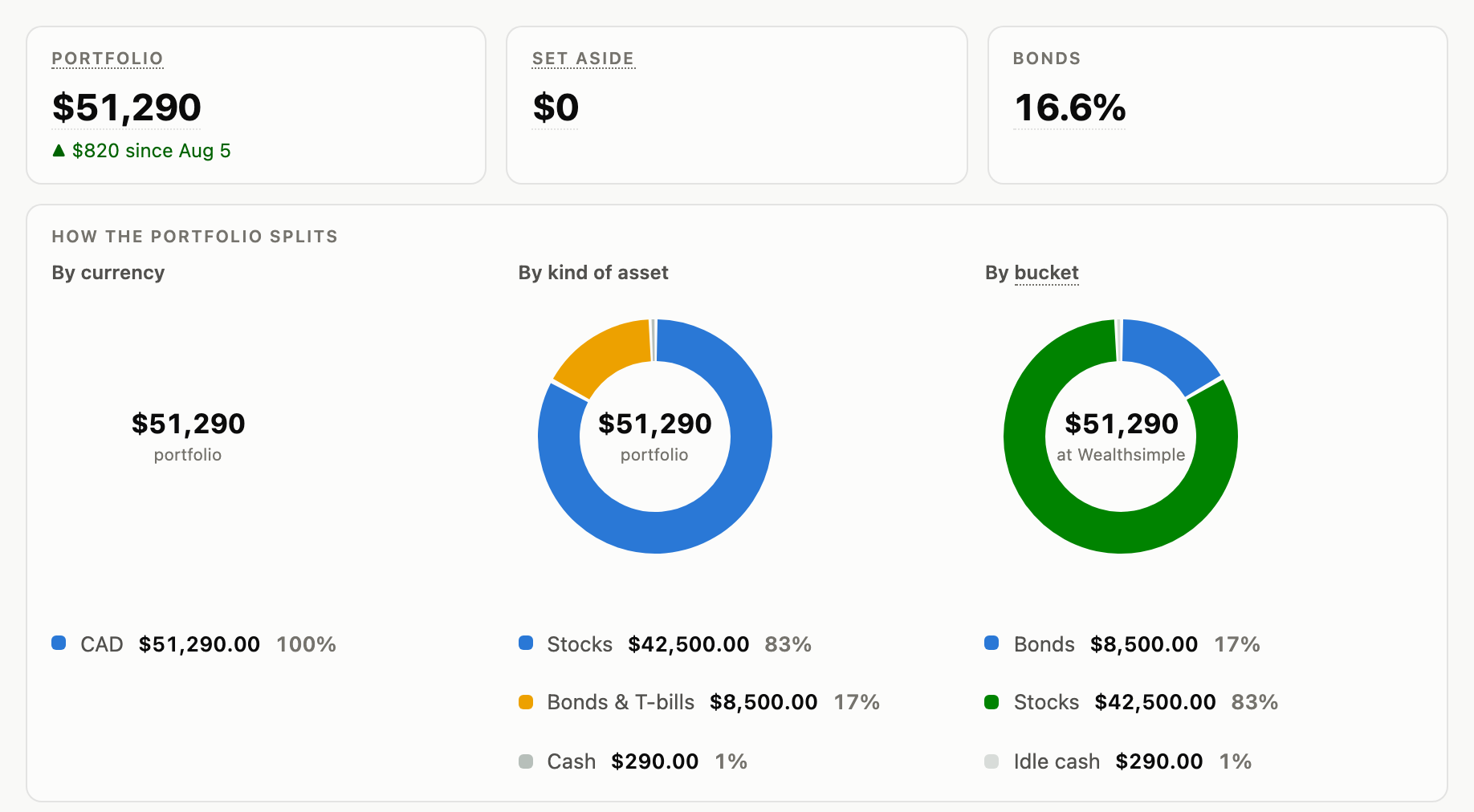
Your portfolio by currency, by kind of asset and by your own buckets.
Is everything in?
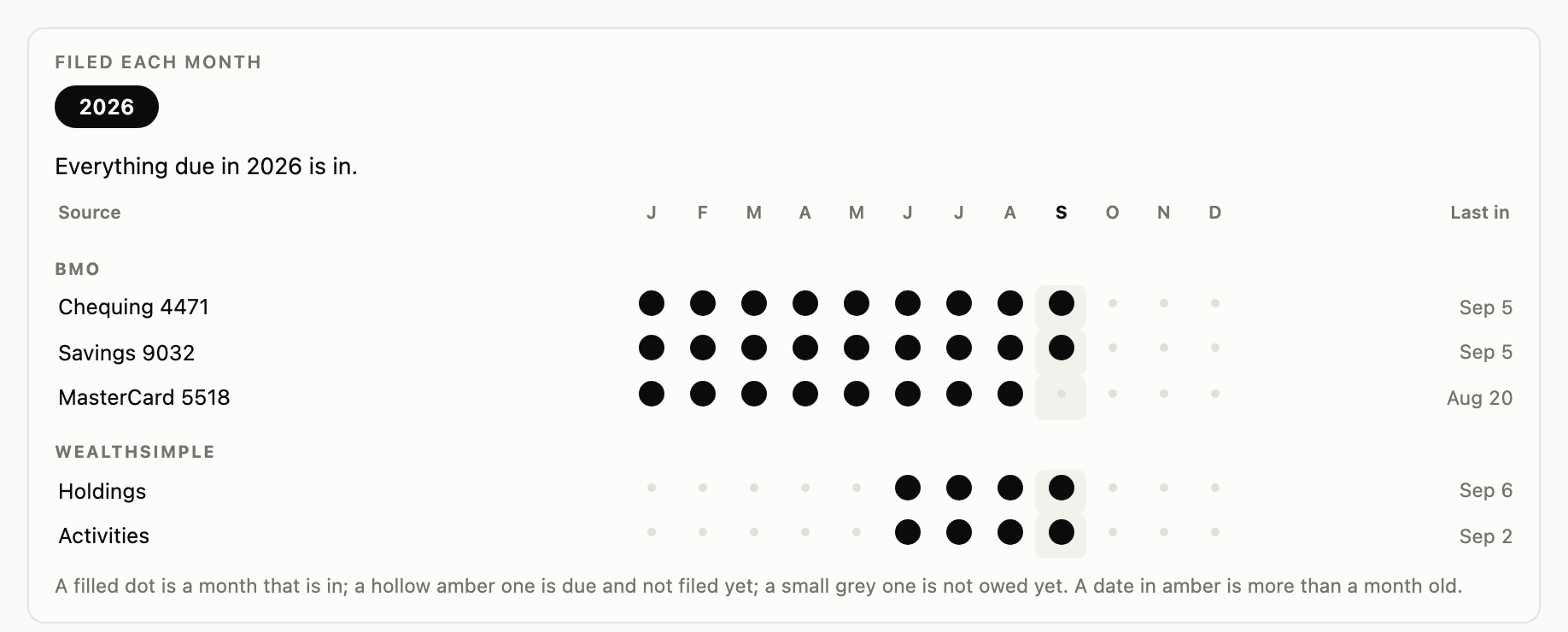
Which statement arrived which month, and what is still to bring.
What it reads
Your bank's own files
- RBC · PDF
- BMO · PDF
- Wealthsimple · exports
- TD
- Scotiabank
- CIBC
- Tangerine
- most other banks
A balance you type once a month, read off the bank's app.
Questions
Before you try it
- Is it free?
- Yes. The app is free and open source (MIT). There is nothing to subscribe to.
- Does it connect to my bank?
- No. You download your statements yourself from your bank's website. The app never sees your bank password.
- Where does my data live?
- In a folder on your Mac: plain CSV and JSON files and one page. Nothing is sent anywhere unless you turn on the optional AI suggestions, which send only the names of shops. Backing the folder up is yours.
- Do I need Claude?
- No. The app works on its own. Claude Code is a second way in, for a statement no parser reads, money held abroad, or a question in words.
- Is there a Windows version?
- Not as a download yet. On Windows it runs from Python (python3 app.py).
- My bank is not on the list.
- Download your transactions as OFX or QFX (the Quicken or Money choice); most Canadian banks offer it. Failing that, a CSV, or the balance typed once a month.